

Did you know?
A few things AmongReaders can do that are easy to miss.
Did you know?
You can use AmongReaders like an app on your phone
Add it to your home screen and it opens full screen, just like an app, with its own icon. No app store needed.
- iPhone / iPad: open amongreaders.com in Safari, tap Share (the square with an arrow), then Add to Home Screen.
- Android: open it in Chrome, tap ⋮, then Add to Home screen or Install app.
Did you know?
You can change the colors
Pick from nine color themes: Night Reading for reading in bed, Autumn Leaves, Library Green, High Contrast and more. It follows you to every device.
Did you know?
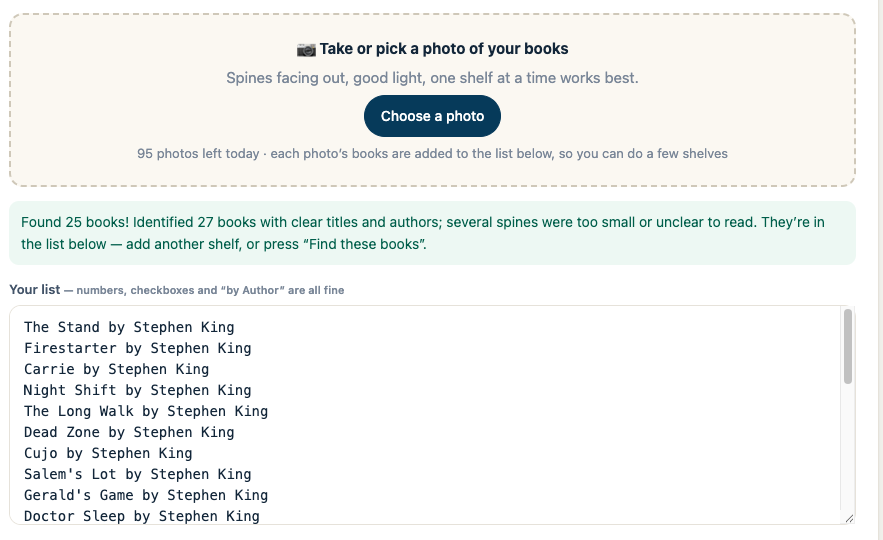
You can add books by taking a photo
Point your phone at a shelf, yours or a bookstore’s. AmongReaders reads the spines and lists the books so you can add them all at once.

Did you know?
You can post just a vibe
After you update your page, tap a mood like Shook or Loving it. Add a comment, or post the vibe on its own. Only readers at your chapter or past it will see it.
Did you know?
You can save a book right from the search bar
Start typing in the search bar at the top and covers drop down. Tap + to save a book without leaving the page. Type an author’s name to see all their books.
Did you know?
You can put a sticky note on any book
Remember who recommended it or why you picked it up. Share the note with friends, or keep it to yourself.
Did you know?
You can see your reading stats
Pages per day, your reading streak, timed reading and every update you’ve logged, all in one place.
Did you know?
There’s a simple version for Kindle and other e-readers
Open amongreaders.com on your e-reader’s browser and you get a light version made for it: update your page and post, right from your Kindle.